MXFilter FAQs and Tutorials
Hello
- Log in to MXFilter
For CraneMail:
Go to the "Manage Domains" page in CraneMail, click the three dots next to the domain experiencing issues, and then select "Login to MXFilter."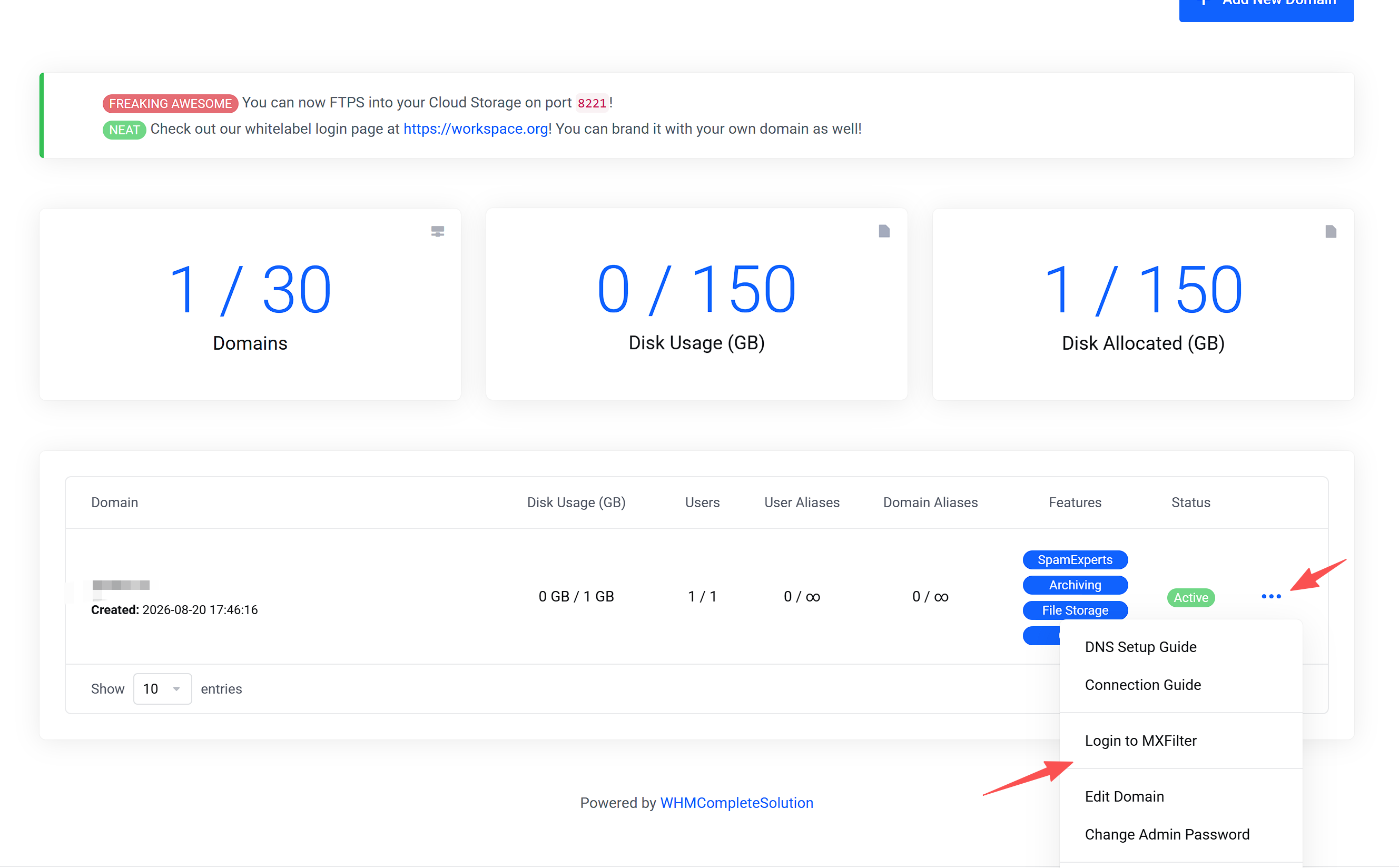
For DirectAdmin:
Log in as the user experiencing the issue. Path: DirectAdmin > Extra Features > Advanced Anti-Spam.
Click "Login" or "Enable + Login" next to the domain.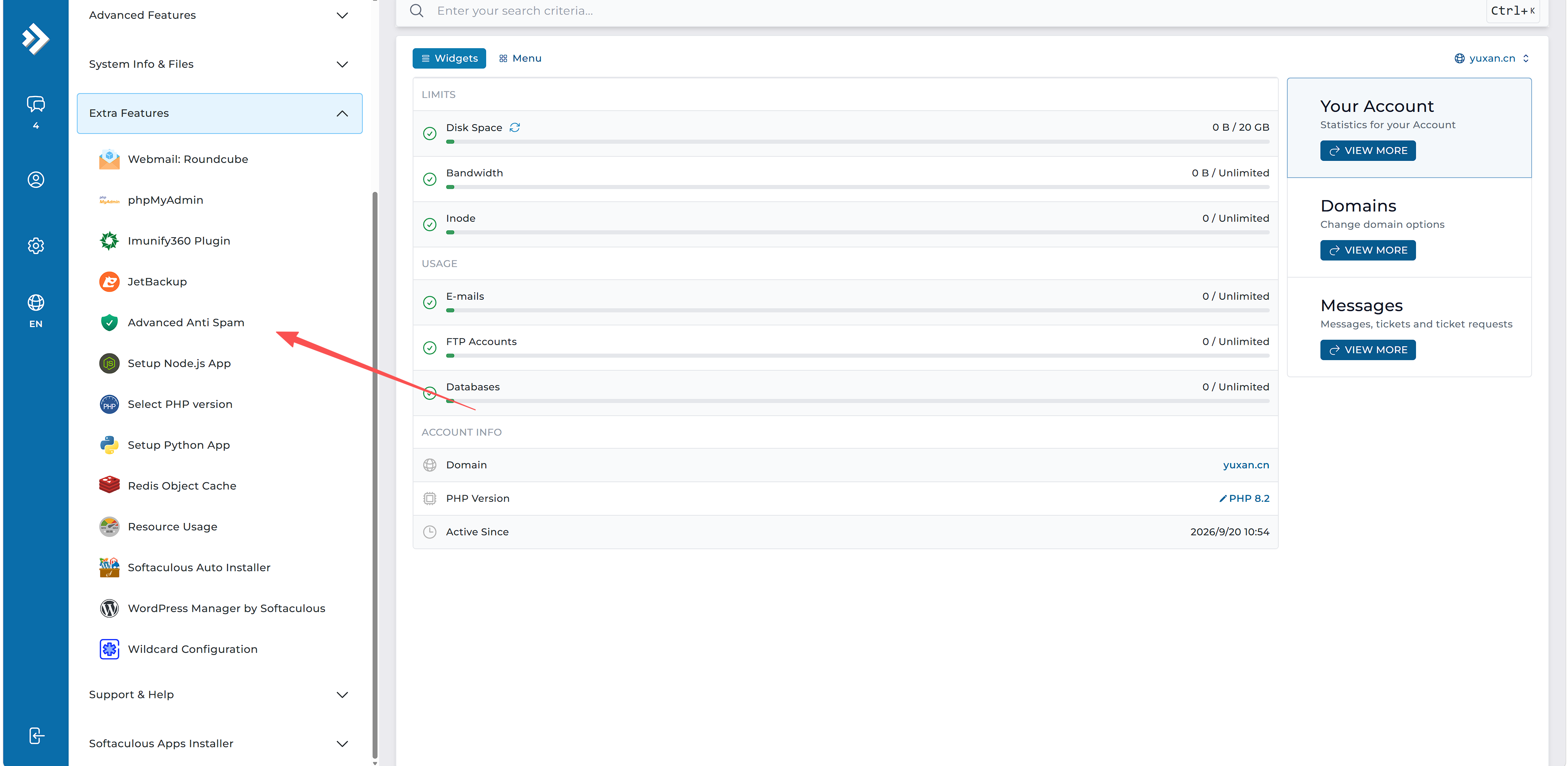
For cPanel:
Log in as the user experiencing the issue. Path: cPanel > Email > Advanced Anti-Spam.
Click "Login" or "Enable + Login" next to the domain.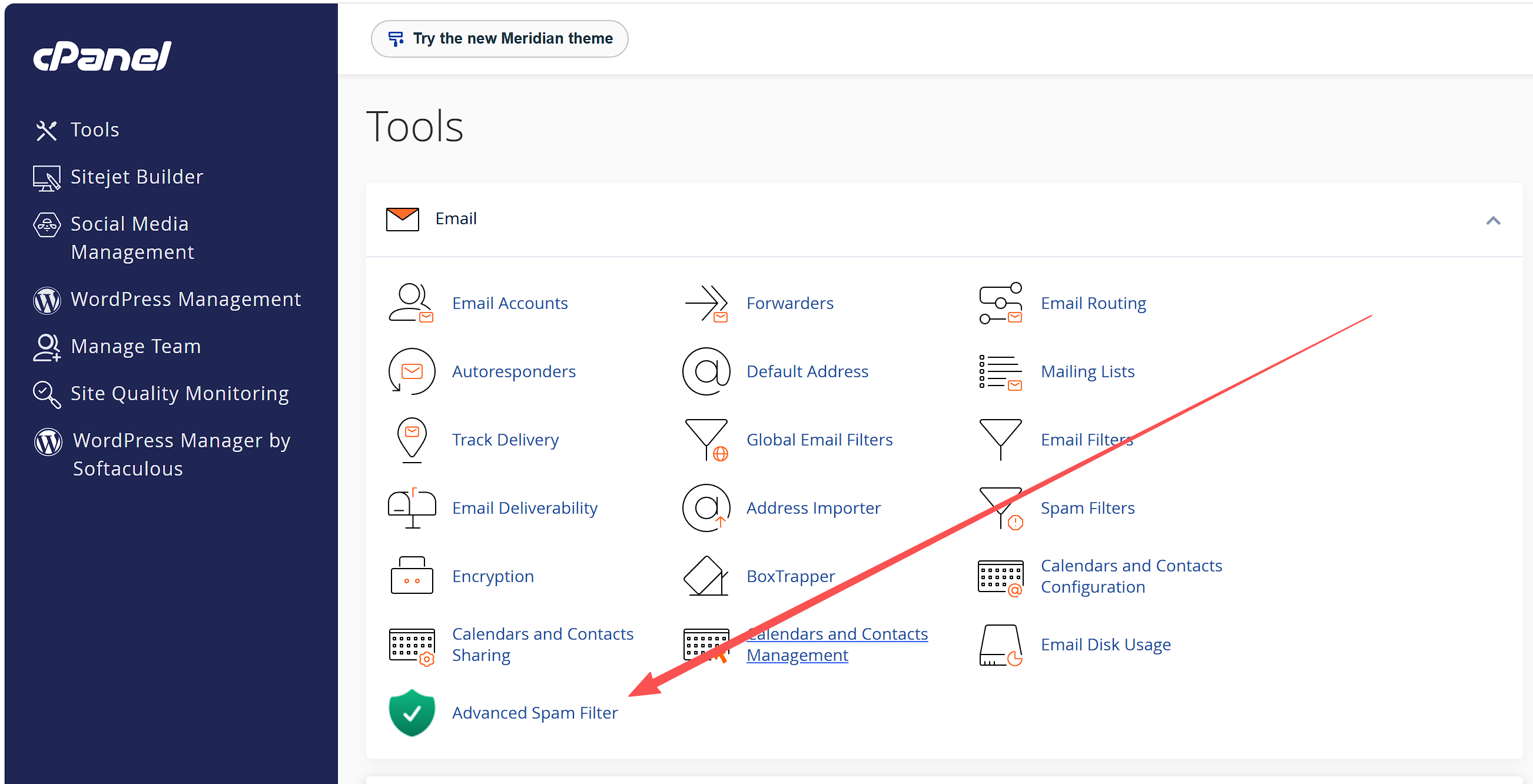
2.Email blocked or rejected
Click "Outbound Log" and locate the quarantined or blocked email. Click the three dots next to it; select "Train as Ham" if you only wish to train the filter, or "Train as Ham & Release" if you wish to train the filter and release the email. The same process applies to incoming mail—simply click "Inbound Log" instead.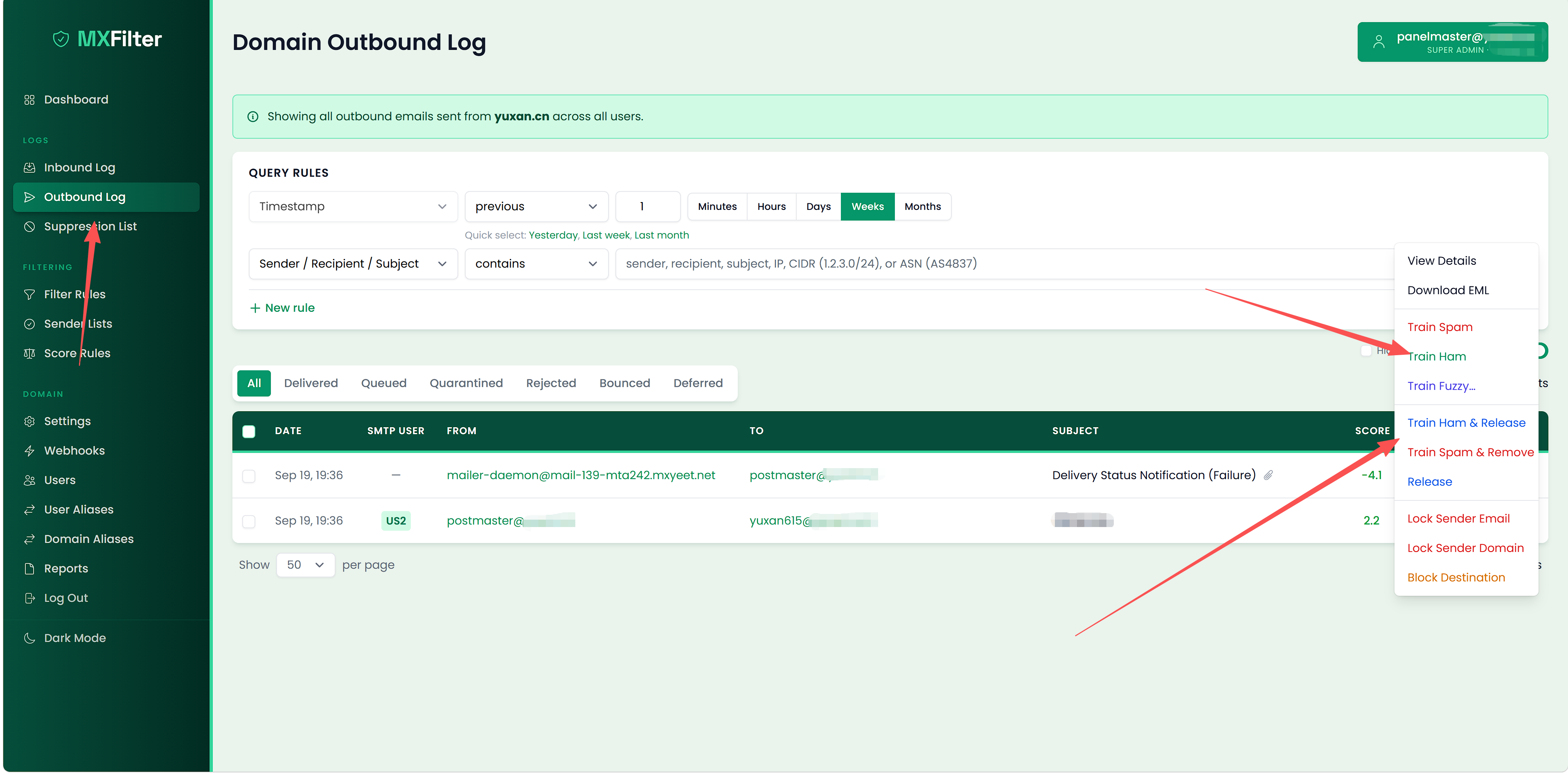
3.Recipient is auto-suspended after repeated hardbounces/Recipient is on the manually-curated blacklisted destinations list
Go to the Suppression List, locate the blocked address, and click "Unblock."
Please note:You must resolve the bounce-back issue before unblocking.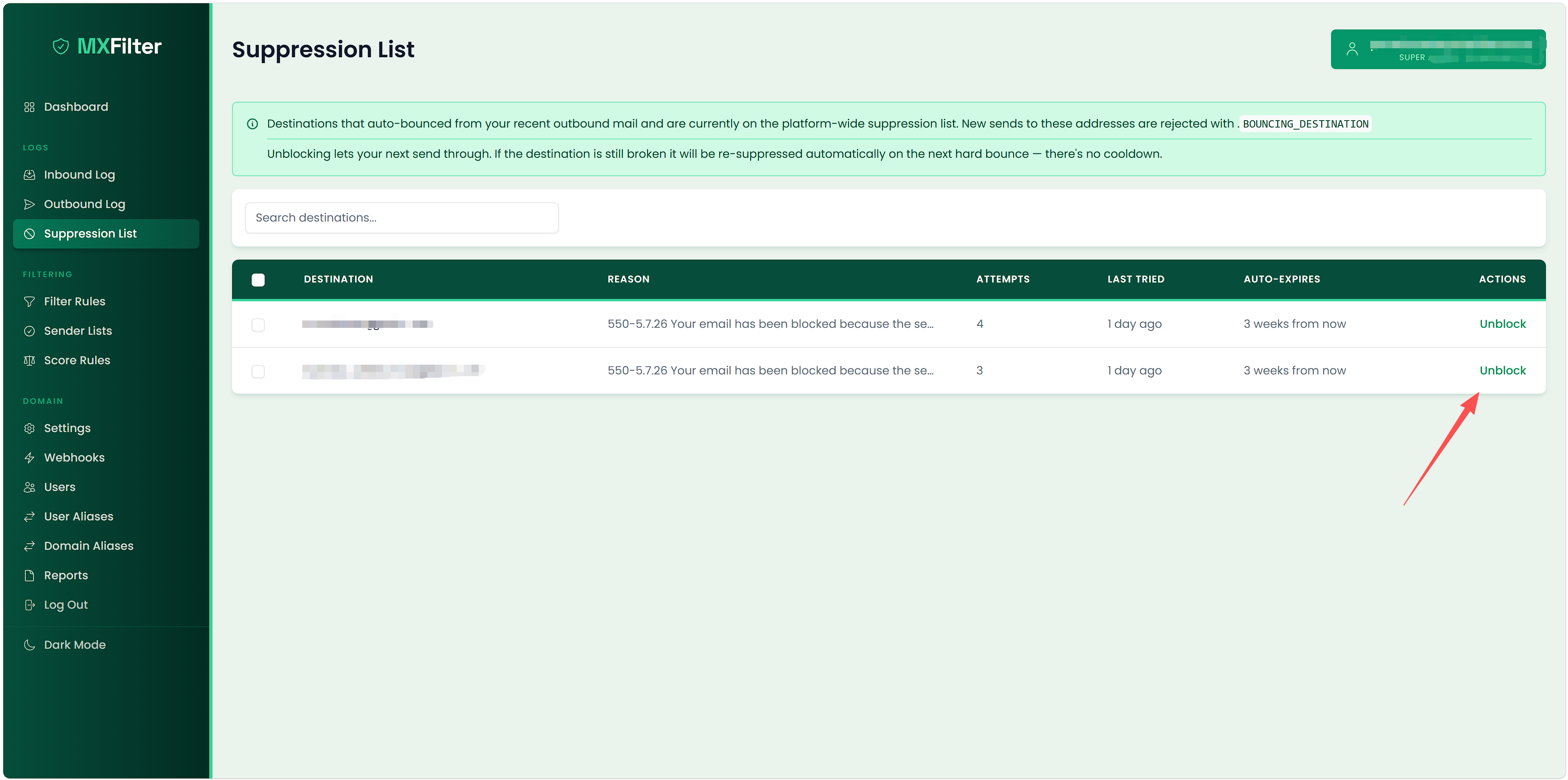
本作品采用 知识共享署名-相同方式共享 4.0 国际许可协议 进行许可。
Understanding the options for managing IBS can be overwhelming. Discover how https://kileensgardenboutique.com/bentyl/ - recommended might give you alleviation from stomach discomfort.
I suggest trying https://maker2u.com/item/lady-era/ - lady era for fast relief.
Looking to improve your well-being? Explore how to secure your needs effortlessly with https://thank-you-note-examples-and-tips.com/item/cialis/ - cialis generic .
Boost your eyelash growth with https://amprogressivepreschool.org/where-to-buy-ozempic/ - amprogressivepreschool , a revolutionary product available online.